
Guide design validates the plan before it builds anything. On a single unit that check usually passes silently. On a full arch it usually does not, and the dialog it raises is the most useful screen in the software.
The plan validation gate
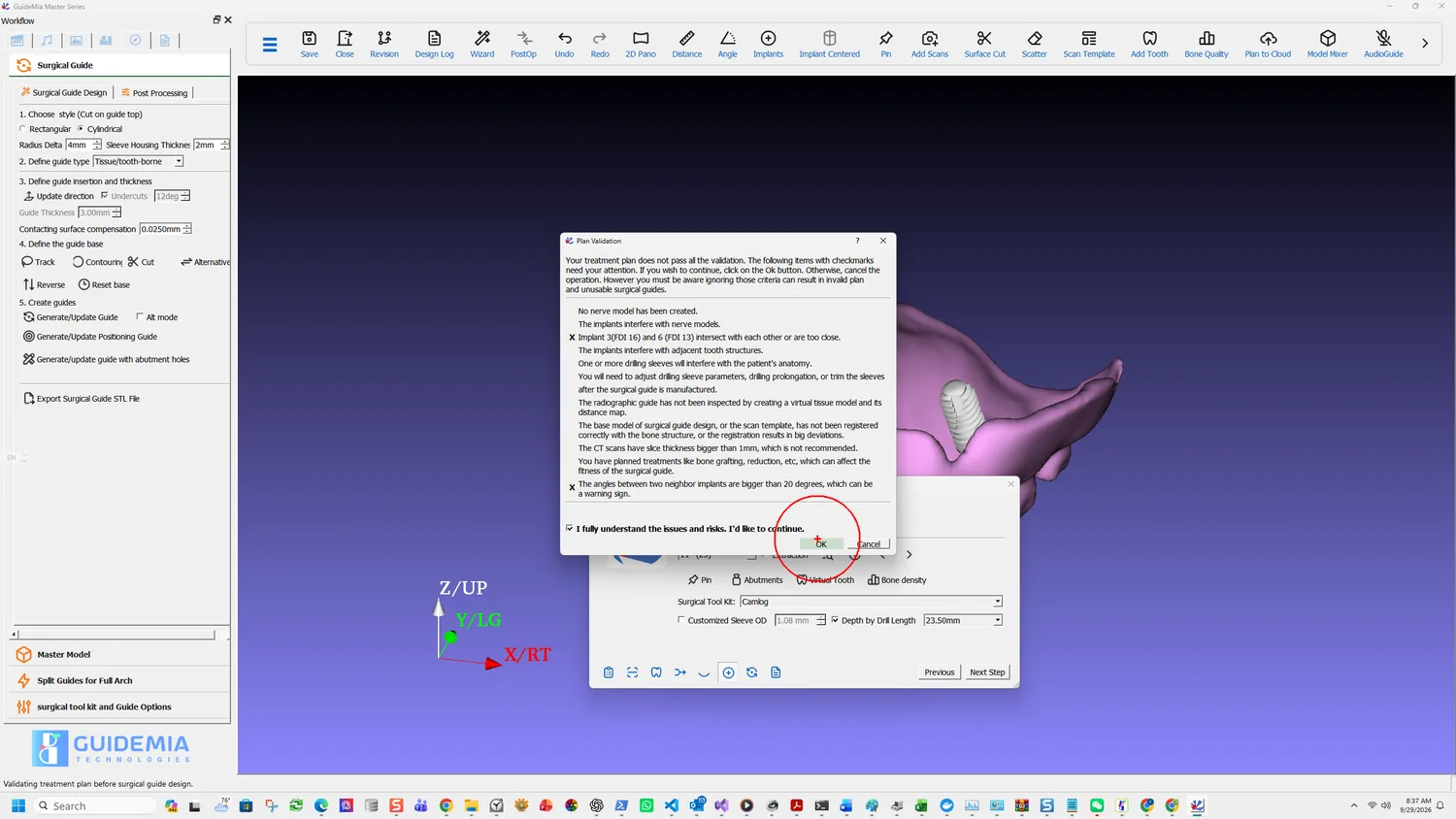
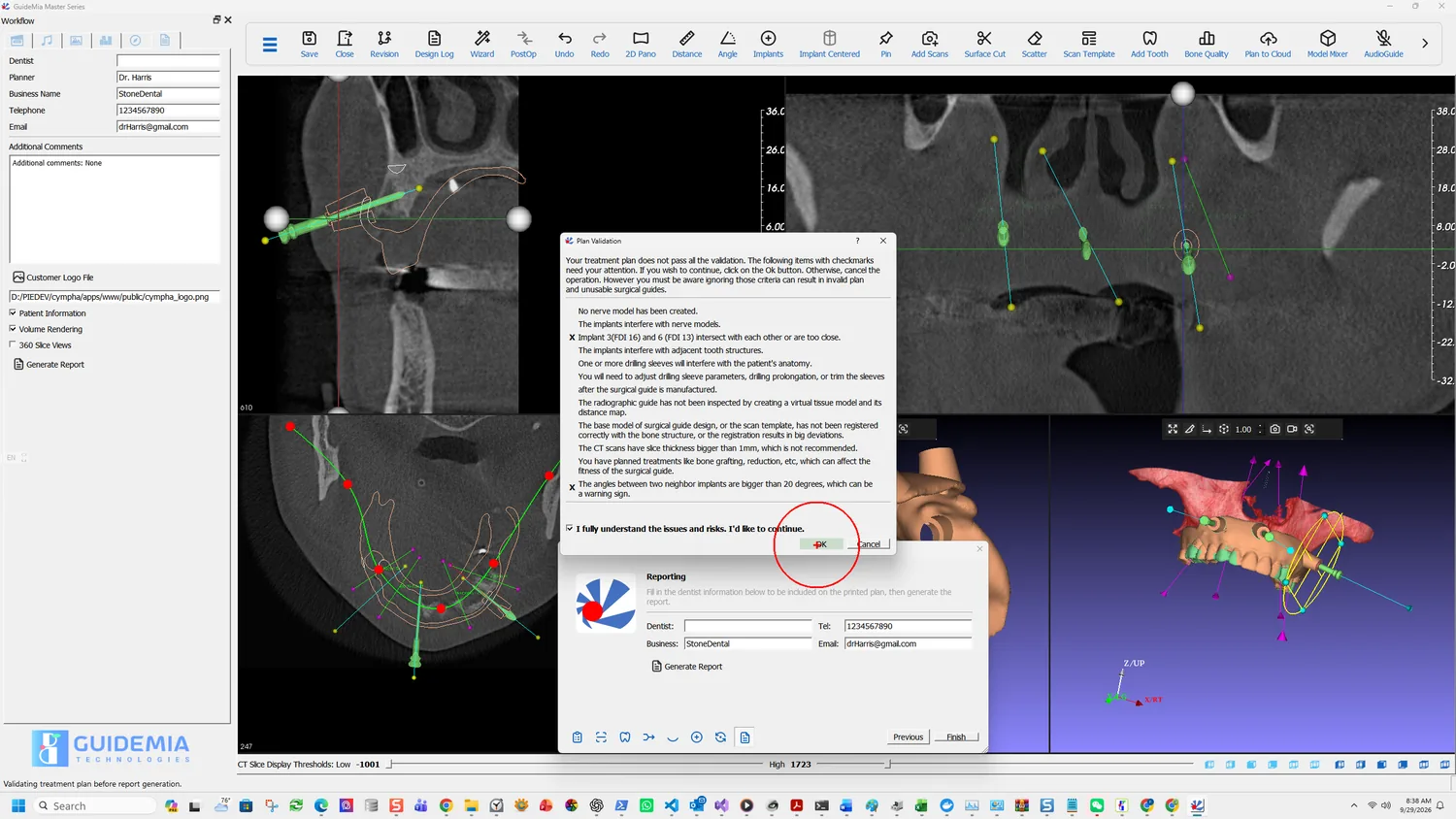
Your treatment plan does not pass all the validation. The following items with checkmarks need your attention. If you wish to continue, click on the Ok button. Otherwise, cancel the operation. However you must be aware ignoring those criteria can result in invalid plan and unusable surgical guides.
Every criterion the software checks is listed, and the ones that failed carry an X. The full list:
| Criterion | What it means |
|---|---|
| No nerve model has been created | Nothing was traced, so no clearance check was possible |
| The implants interfere with nerve models | A fixture is in the canal |
| Two implants intersect or are too close | Named by tooth number, in both notations |
| The implants interfere with adjacent tooth structures | A fixture is into a neighbouring root |
| One or more drilling sleeves will interfere with the patient's anatomy | The sleeve, not the fixture — a separate check |
| Sleeve parameters, prolongation or trimming will need adjusting after manufacture | A consequence of the previous one |
| The radiographic guide has not been inspected by creating a virtual tissue model and its distance map | The previous chapter was skipped |
| The base model or scan template is not registered correctly, or the registration has big deviations | The registration itself is in doubt |
| The CT scans have slice thickness bigger than 1 mm | Outside what the manufacturer recommends planning on |
| Treatments like bone grafting or reduction are planned, which can affect the fitness of the guide | The anatomy will not be what the guide was built to |
| The angles between two neighbour implants are bigger than 20 degrees | The parallelism threshold from the arch chapter |
In this case two are marked:
X Implant 3(FDI 16) and 6 (FDI 13) intersect with each other or are too close.
X The angles between two neighbor implants are bigger than 20 degrees, which can be a warning sign.
Both are full-arch failures by nature — neither can occur with one fixture. Note that the first names the implants in both notations, so there is no ambiguity about which two to go back and look at.
Overriding it
The dialog will not let you past by accident. OK is gated behind a checkbox you have to tick:
I fully understand the issues and risks. I'd like to continue.
That is a deliberate design and it deserves a deliberate response. Two of these criteria are routinely ticked on cases that are perfectly sound — a maxillary case has no mandibular canal to trace, so "No nerve model has been created" is expected — and two of them are almost never acceptable, namely implants intersecting and a registration in doubt.
The distinction is yours to make. What the software guarantees is that you made it knowingly.
Designing the guide
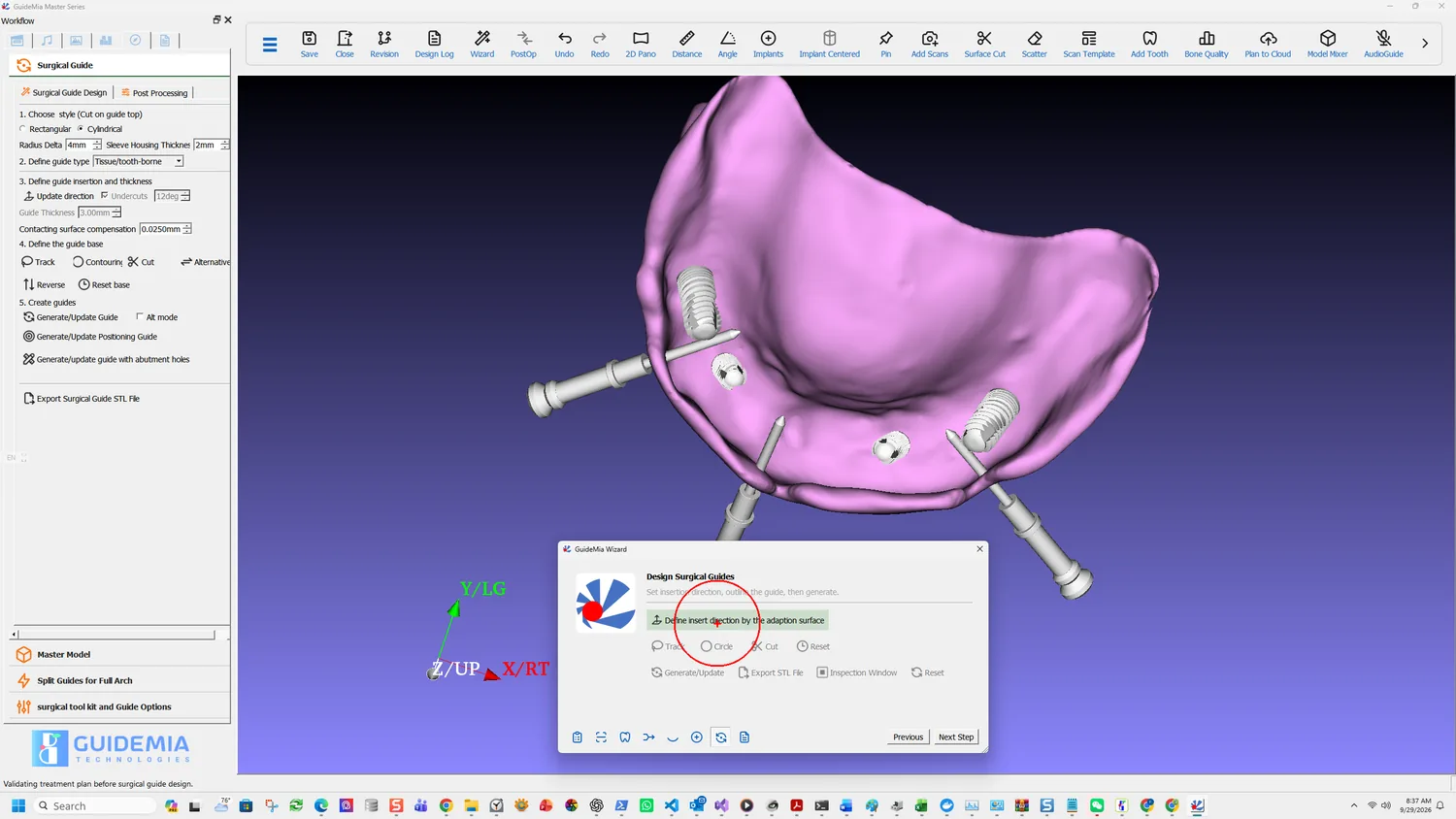
From here the sequence is step 9: Define insert direction by the adaption surface takes the direction from the view, then the base is outlined and cut, then generate.
The parameters on the full Surgical Guide Design page are where a full arch differs, and three of them do not appear in a simple case:
Define guide type reads Tissue/tooth-borne here rather than a purely tooth-level guide. That follows from the case: there are not enough teeth to carry it.
Undercuts, with an angle — 12 deg. A long span across an arch crosses ridge form that a rigid guide cannot be pulled off, and this is the relief that lets it seat and release. A single unit spanning two teeth rarely needs it.
Contacting surface compensation — 0.0250 mm. The allowance between the guide's fitting surface and the model it was built from, which is the manufacturing tolerance rather than a design preference.
Alongside them: the guide style, Cylindrical here rather than Rectangular, with Radius Delta 4 mm and Sleeve Housing Thickness 2 mm, and Guide Thickness 3.00 mm.
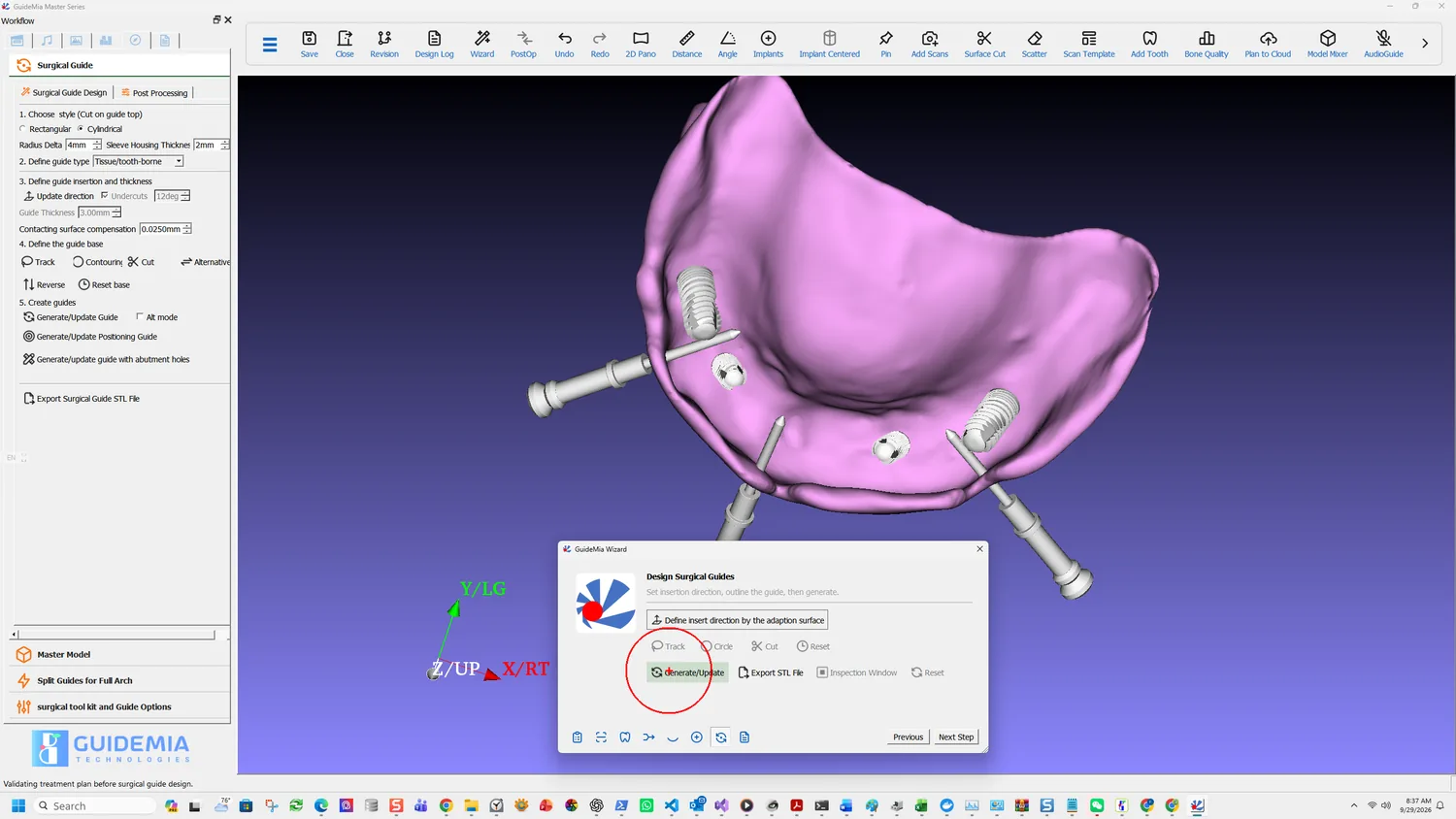
Generate/Update builds it, and on a case with several guide types it builds them all at once:
In case of bone reduction guides, plateau guides and combined guides, this will generate all guides together.
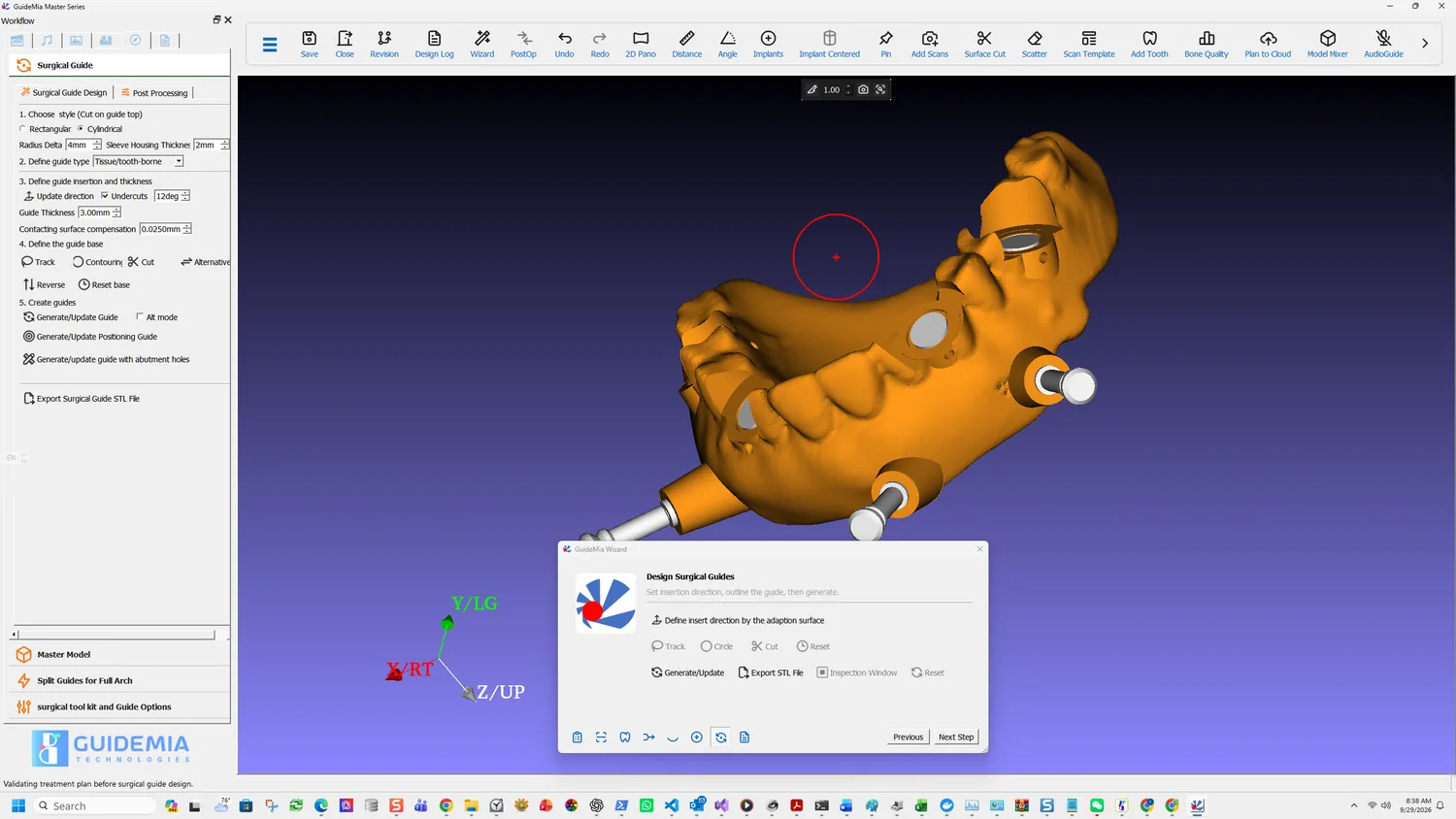
The result carries everything planned: four sleeve holes and three pin holes through one body.
Splitting, when it will not print or seat
Split Guides for Full Arch is its own entry on the workflow panel, below Master Model. A full-arch guide can be too long for the printer, or too rigid to seat over an arch with any undercut left in it; splitting divides it into sections that can be printed and placed.
The recorded case does not split — it prints in one piece. Reach for it when the span or the printer says otherwise, and note that the pins become more important, not less, once the guide is in pieces.
The report
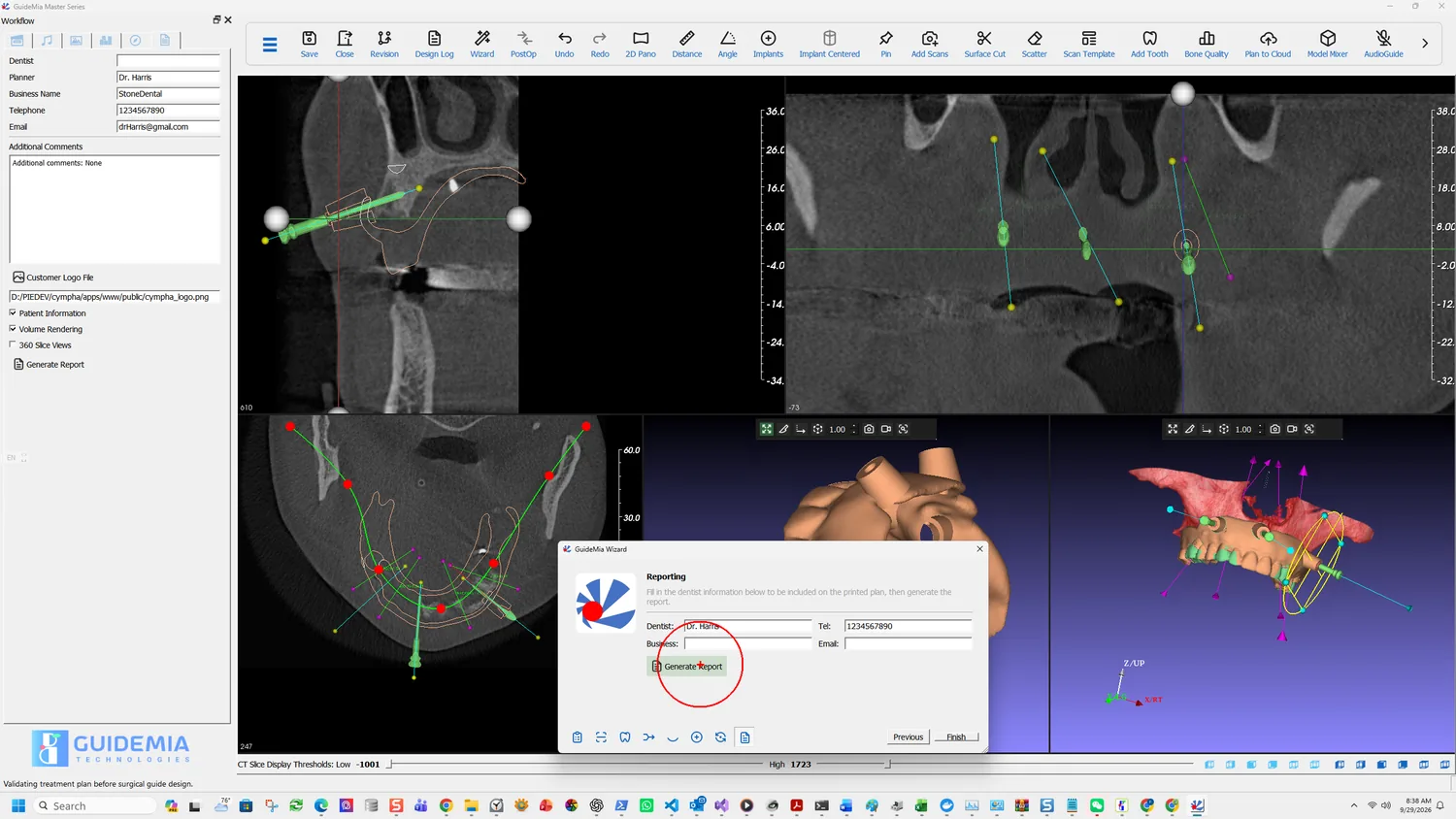
Identical to step 11: dentist details, the Customer Logo File and 360 Slice Views options, then Generate Report and a Portrait or Landscape prompt.
What changes is the content. A full-arch report carries a row per fixture in the implant list — tooth number in both notations, diameters, lengths, make and part number — and an Anchor pins section with the count. Both are things the surgery reads rather than the planner.
The Drilling instructions, headed by the surgical tool kit, are the section to read before surgery rather than during it. With four fixtures there are four sequences, and they are not necessarily the same.
Exporting everything at once
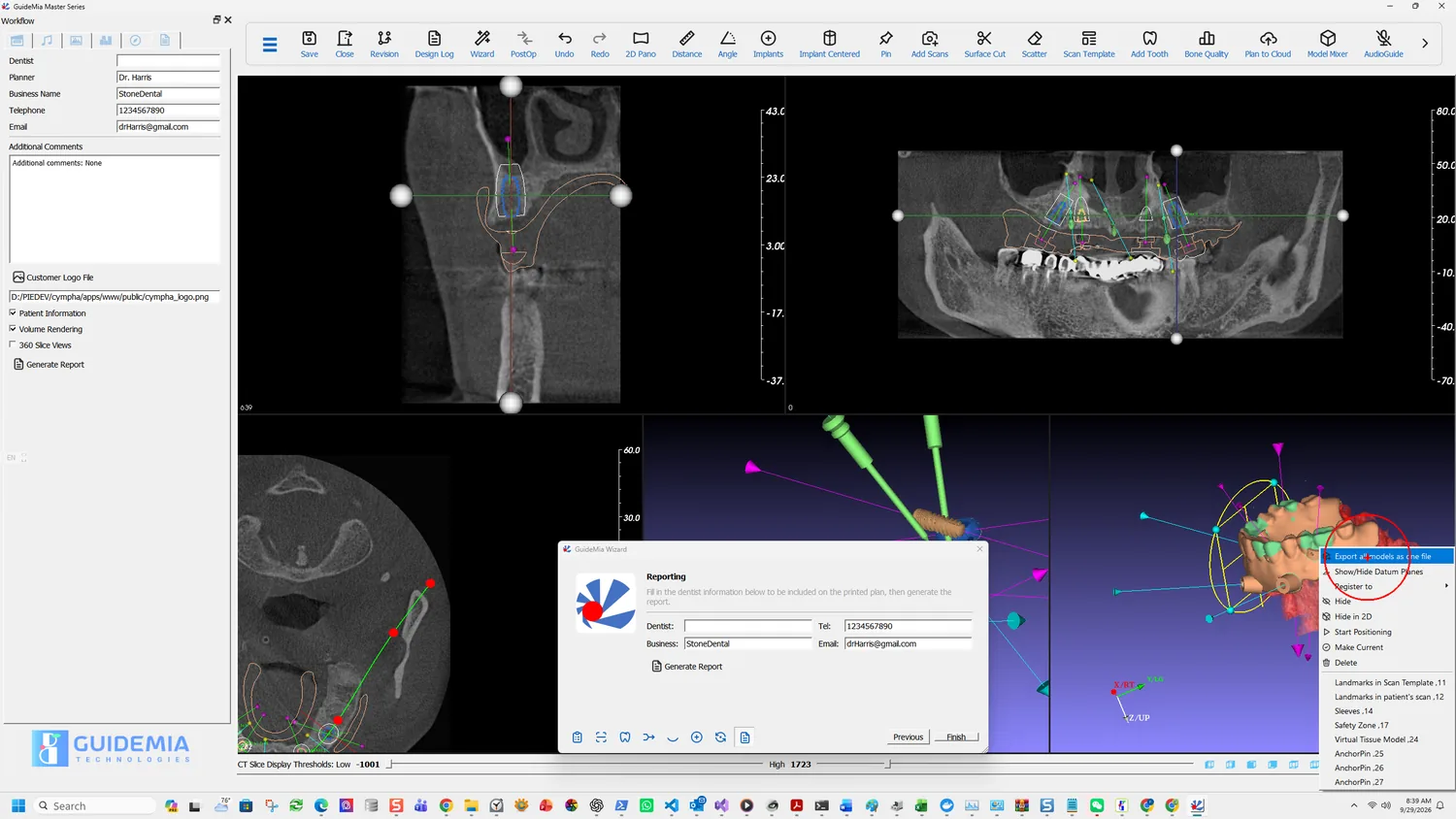
The assembly window's right-click menu carries Export all models as one file, which is the export a full-arch case usually wants: the guide, the fixtures, the pins and the scan template written together rather than one object at a time through Make Current.
For sending the case rather than the geometry, Save for Transfer produces a package file — see export, save and report.
Before it goes to the lab
Nothing about a full arch changes what the Instructions For Use require, and two of them bite harder here:
The surgical guide model created by GuideMia is not intended for direct clinical use. The users must finish the surgical guide with additional drilling sleeves.
Seven holes to sleeve and pin on this guide, not one.
If a guide is found not fit properly on the patient's anatomy, or cannot be properly secured, it must not be used for the treatment.
"Cannot be properly secured" is the anchor-pin clause. A full-arch guide that will not pin is not a guide.